

A historical release/upload... Was good then & still good now, an associate got pumped & downloaded the latest to try then came back to this version stating "What Happened To It?!!"... Yea, I know what he was talking about...
Quite a nice modeler for the time however few ever knew of it since it is from a Japanese Developer I think it would've been more popular...
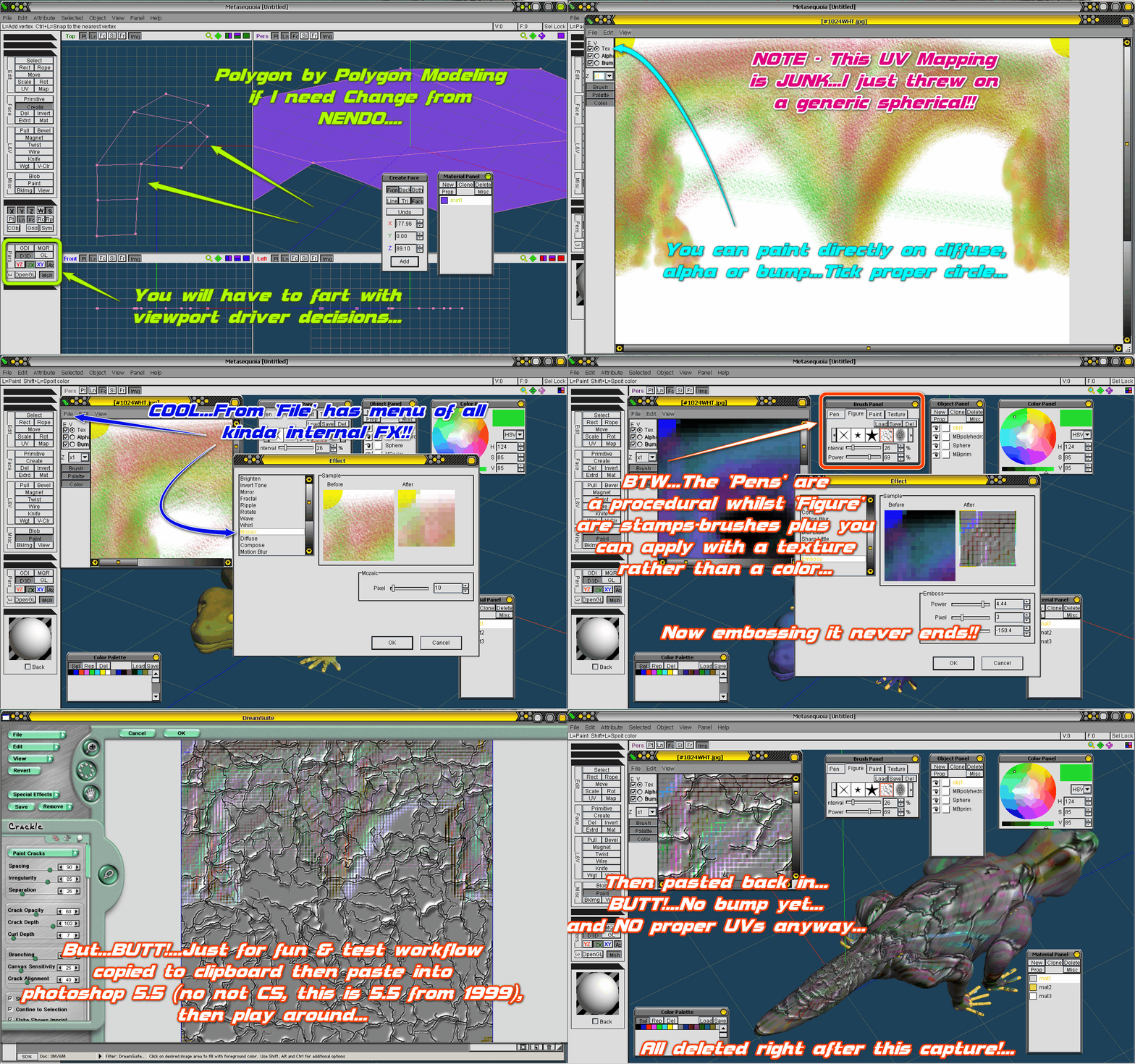
Very easy modeler to get along with I like it for modeling polygon-by-polygon which is different from Nendo or Mirai in which you always have to be modeling on a volume...
Easy on system should run on anything-
System Requirement:
* Windows95/98/Me/2000/NT4.0
* Pentium or compatible processor
* 32MB of RAM
* 640 x 480 x 16bpp
* Installed DirectX 5.0 or later (for using Direct3D)
* Installed OPENGL32.DLL (for using OpenGL)
Recommended:
* Windows2000/NT4.0
* 200MHz MMX-Pentium or higher
* 48MB of RAM
* 1024 x 768 x 24bpp
* Video card acceralates Direct3D and OpenGL
* 16MB of VRAM on video card
* Mouse with 3 buttons or wheel
* Installed DirectX 7.0 or later (for using Direct3D)
Will open a variety of formats LWO, 3DS, DXF, RSD, COB, MQO & more...
This will also UV map & 3D Paint!!!...The UV mapping is pretty basic in this old version but you can select a small group of faces & apply front-flat mapping if nothing else then paint on that separate from the rest & keep doing that which was oldskool method...
You can paint on 3D model in viewport or on texture PLUS you can copy to clipboard open in another & do your duty & paste back which overwrites...Even has built-in filters to apply to selections of the texture or whole damn thing!!-
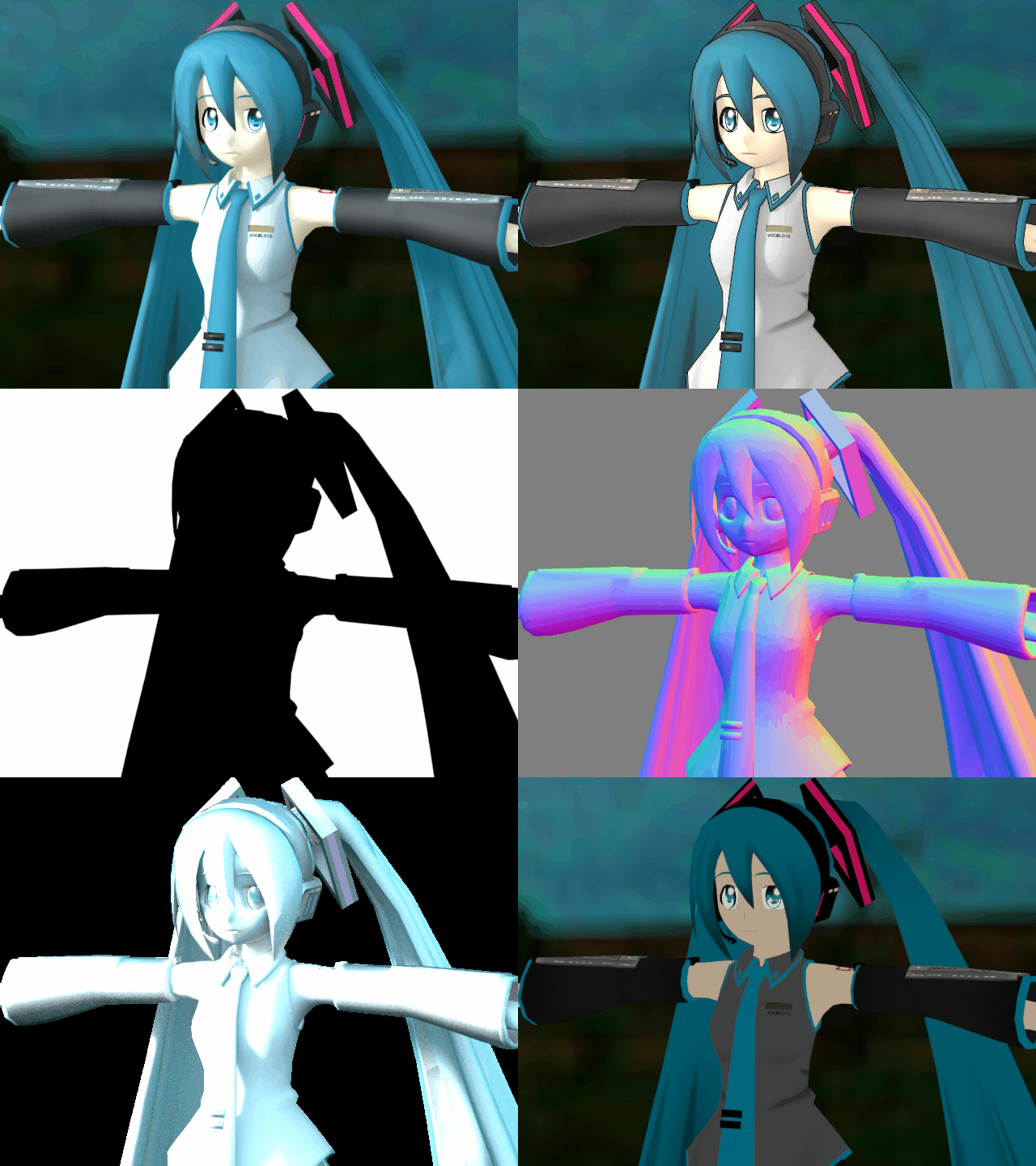
Found render engine 'VIDRO' which brings in MQO models with textures intact as long as the models were saved with the textures in the model's folder at time of save (reads path in MQO file)...
It's a GI renderer so has some ability nice to have all maps available after a render-
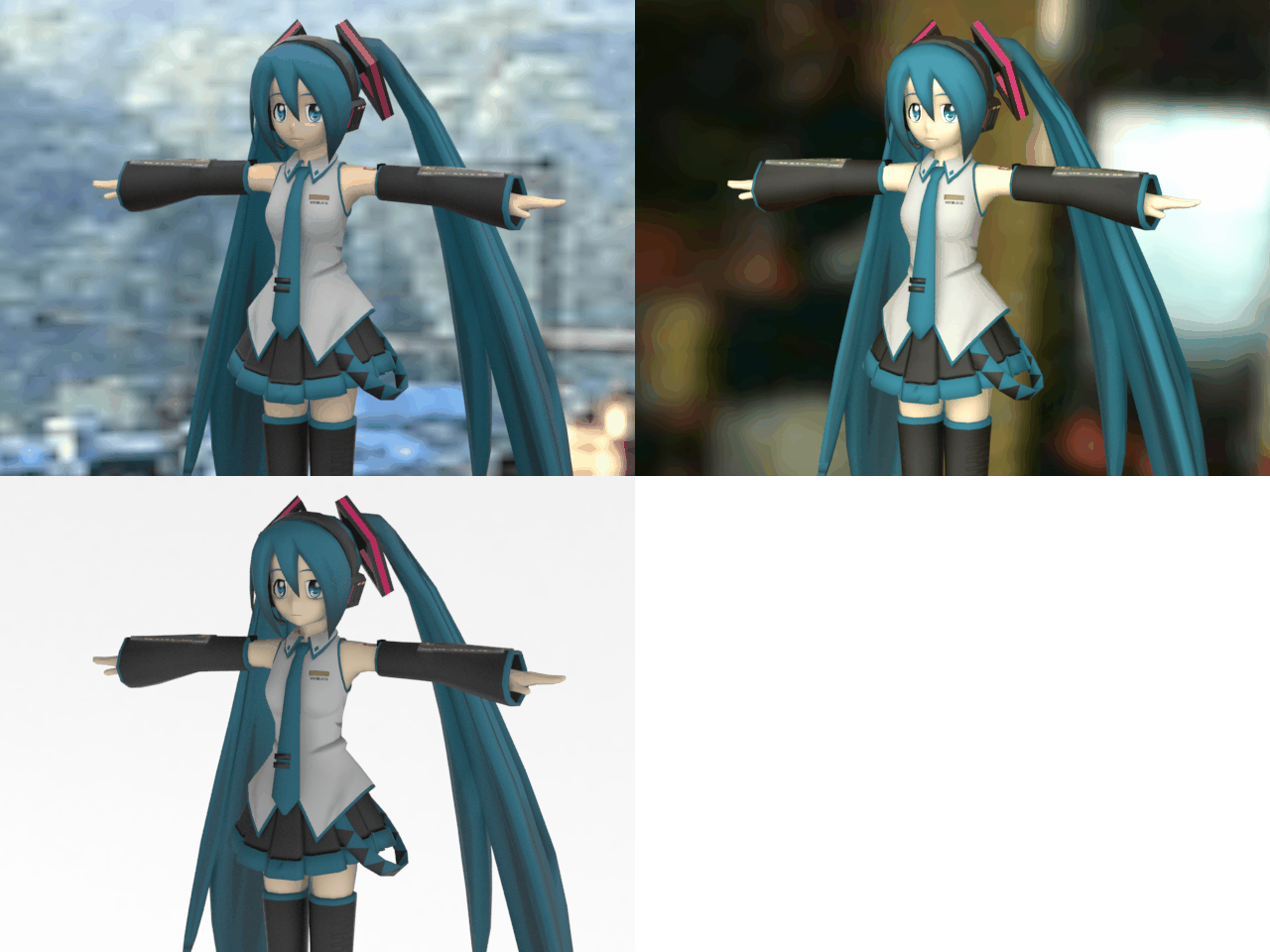
For GI lighting you have to load in a HDR or EXR image I have included a few-
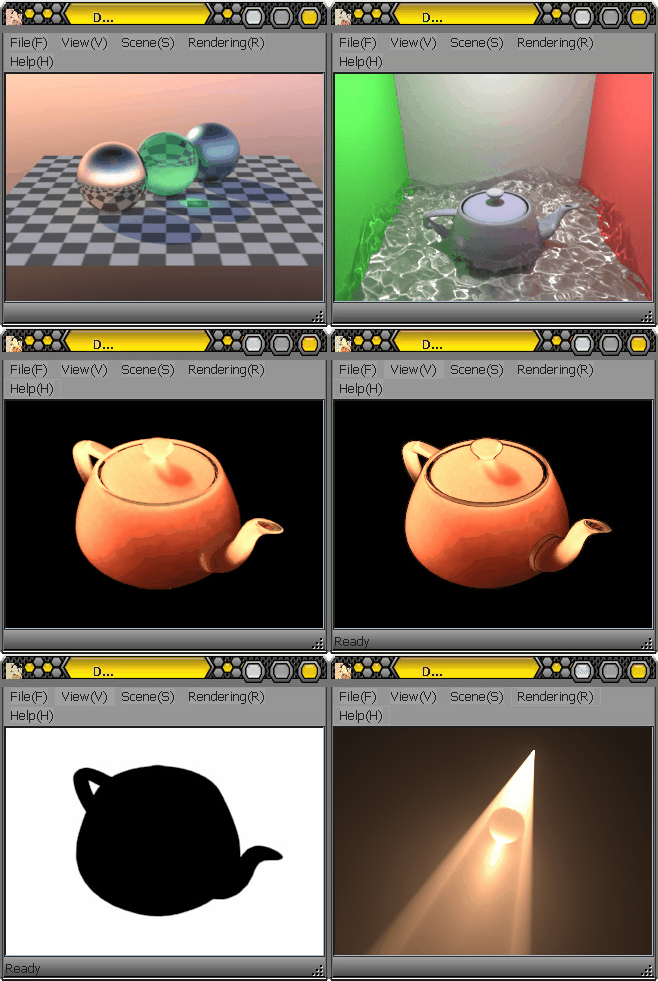
Also there is Cyberdelia which was sort of an abandoned animation program, might be useful, might not...
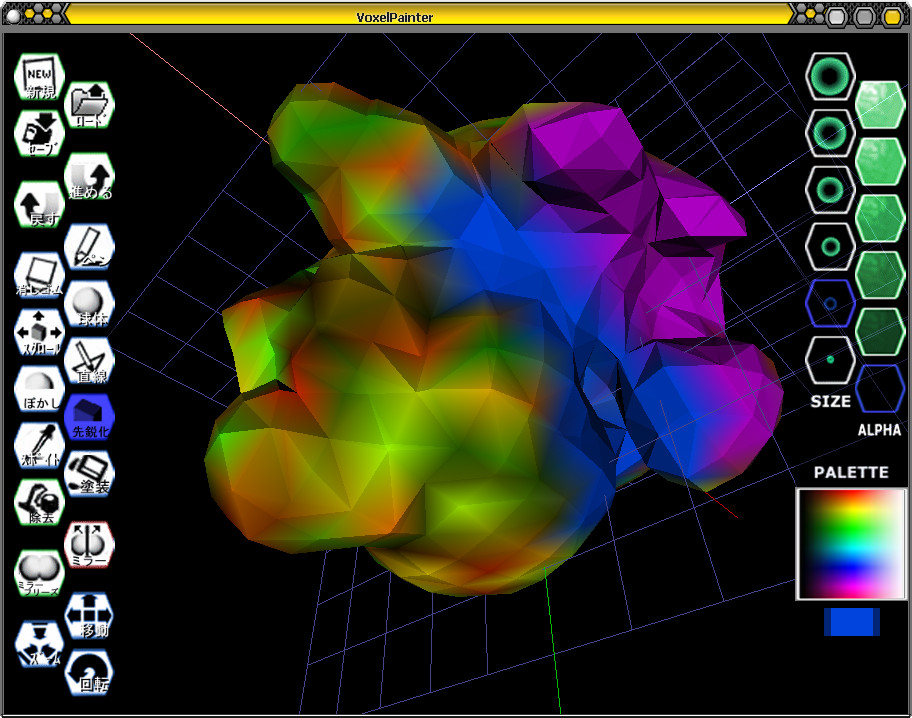
Also there is VoxelPainter which is another Japanese App which is like a way stripped-down Zbrush, You can sculpt voxels & even do symmetry & what-not...These are saved in MQO which come right into Meta...
Not english but EASY to figger out-
I have included most in the usual 'overwrite' folder which should 'collide' with the install directory...There are some blank textures in various sizes I made up for 3D painting for color, bump & alpha...There is also a sub-folder which has brushes & stamps of 3 different sizes for the 'FIGURE' option in the paint panel...
https://gofile.io/d/X54O63
OR
https://send.now/fbwlo3bd2m1k
Quite a nice modeler for the time however few ever knew of it since it is from a Japanese Developer I think it would've been more popular...
Very easy modeler to get along with I like it for modeling polygon-by-polygon which is different from Nendo or Mirai in which you always have to be modeling on a volume...
Easy on system should run on anything-
System Requirement:
* Windows95/98/Me/2000/NT4.0
* Pentium or compatible processor
* 32MB of RAM
* 640 x 480 x 16bpp
* Installed DirectX 5.0 or later (for using Direct3D)
* Installed OPENGL32.DLL (for using OpenGL)
Recommended:
* Windows2000/NT4.0
* 200MHz MMX-Pentium or higher
* 48MB of RAM
* 1024 x 768 x 24bpp
* Video card acceralates Direct3D and OpenGL
* 16MB of VRAM on video card
* Mouse with 3 buttons or wheel
* Installed DirectX 7.0 or later (for using Direct3D)
Will open a variety of formats LWO, 3DS, DXF, RSD, COB, MQO & more...
This will also UV map & 3D Paint!!!...The UV mapping is pretty basic in this old version but you can select a small group of faces & apply front-flat mapping if nothing else then paint on that separate from the rest & keep doing that which was oldskool method...
You can paint on 3D model in viewport or on texture PLUS you can copy to clipboard open in another & do your duty & paste back which overwrites...Even has built-in filters to apply to selections of the texture or whole damn thing!!-
Found render engine 'VIDRO' which brings in MQO models with textures intact as long as the models were saved with the textures in the model's folder at time of save (reads path in MQO file)...
It's a GI renderer so has some ability nice to have all maps available after a render-
For GI lighting you have to load in a HDR or EXR image I have included a few-
Also there is Cyberdelia which was sort of an abandoned animation program, might be useful, might not...
Also there is VoxelPainter which is another Japanese App which is like a way stripped-down Zbrush, You can sculpt voxels & even do symmetry & what-not...These are saved in MQO which come right into Meta...
Not english but EASY to figger out-
I have included most in the usual 'overwrite' folder which should 'collide' with the install directory...There are some blank textures in various sizes I made up for 3D painting for color, bump & alpha...There is also a sub-folder which has brushes & stamps of 3 different sizes for the 'FIGURE' option in the paint panel...
https://gofile.io/d/X54O63
OR
https://send.now/fbwlo3bd2m1k