Looking about I see that a jerk from another forum has uploaded my particular compilation of Nendo... OK, That means I don't have to...
https://archive.org/details/nendo-15
I have downloaded it to make sure, yeah it's untouched from when I assembled it... I bet he has not even installed it himself...
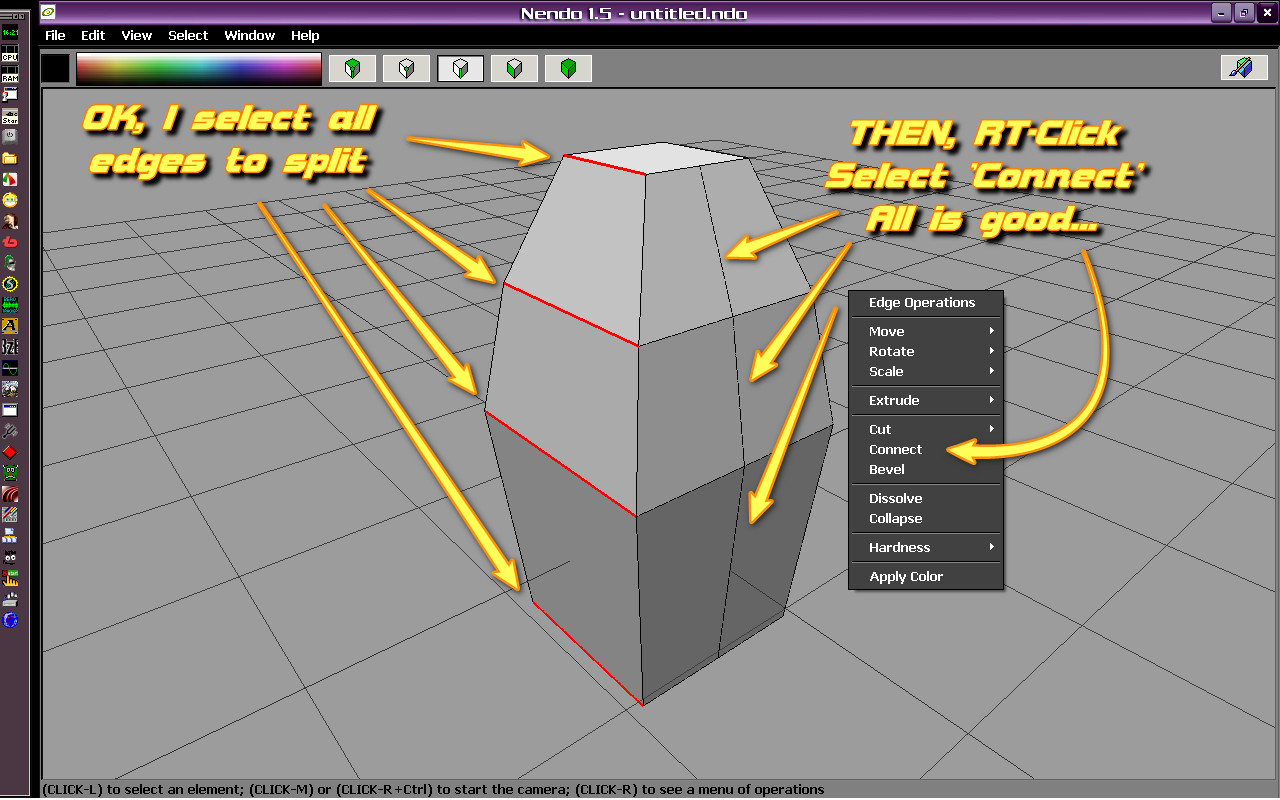
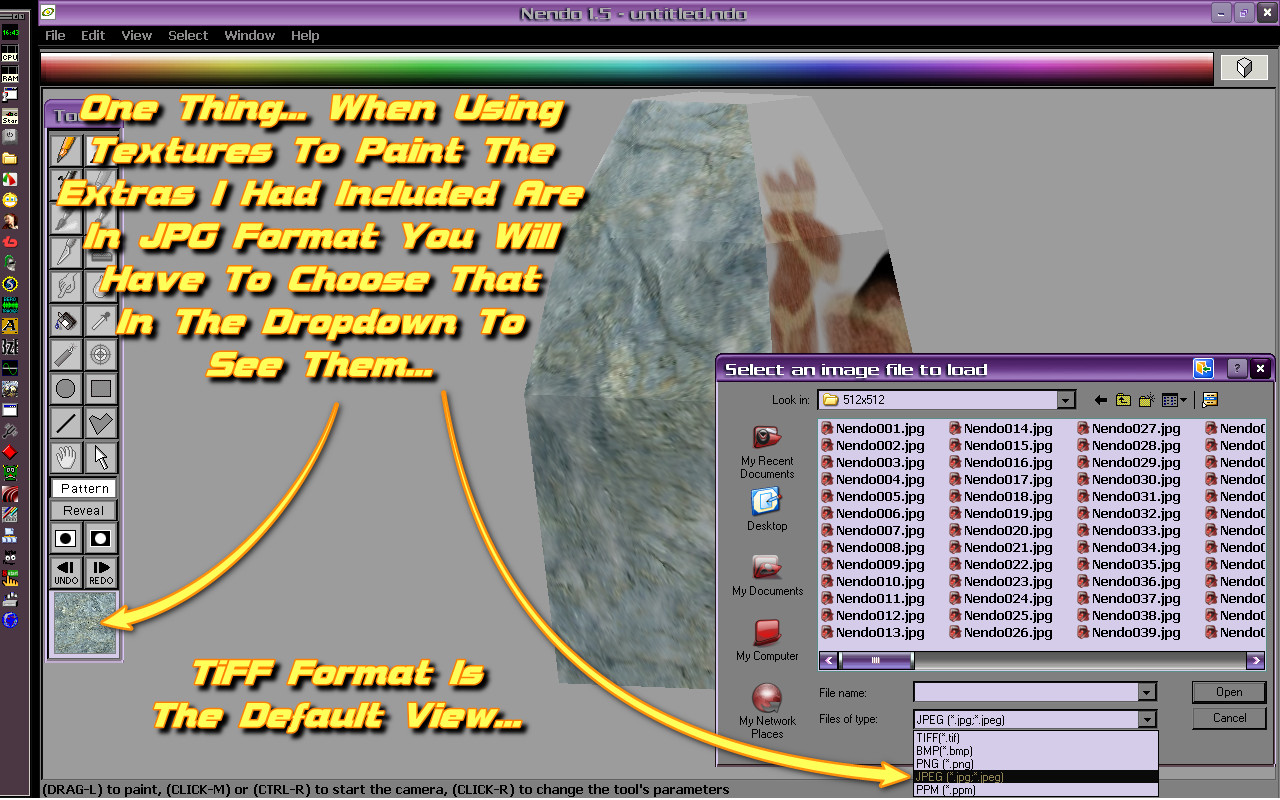
It is most likely the best of simple 3D modelers, the help file is very good, everything is right-click menu... Much better than Wings3D which unfortunately is coded on that obscure 'ERLANG' which has horrible framerate on even relatively low polys... Plus Wings3D does not have 3D paint, Nendo does as well as automatic UV mapping & can go many times the polys before chugging...
It is also good for quickly creating base meshes for ZBrush 1.23b which you probably see I got thread on too...
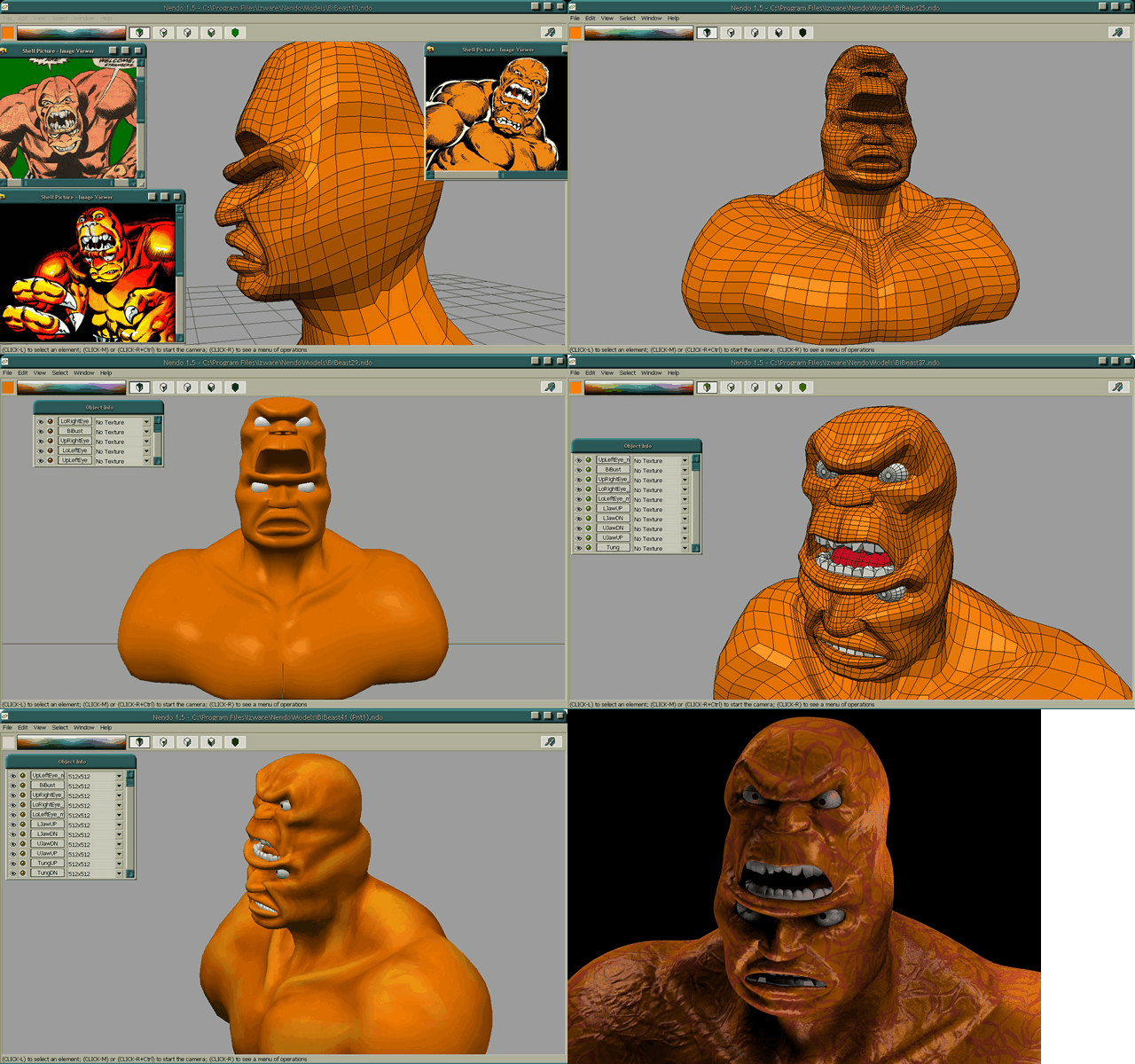
I have made quite a few models but the best were the BiBeast & Joan of Arc... Here's GIFs of them... The BiBeast was painted in Nendo as you can see but redone with procedural textures in Cinema 4D XL7 where it was finished up, it was just the bust...
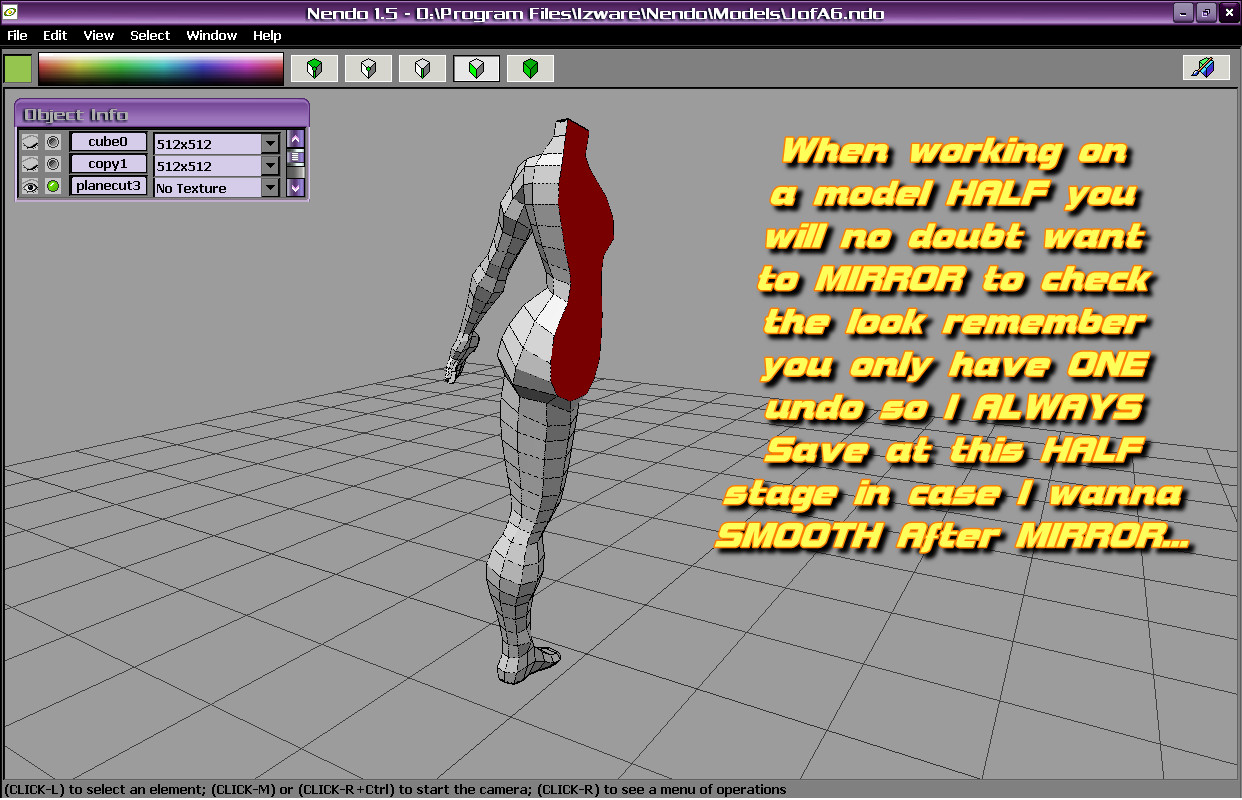
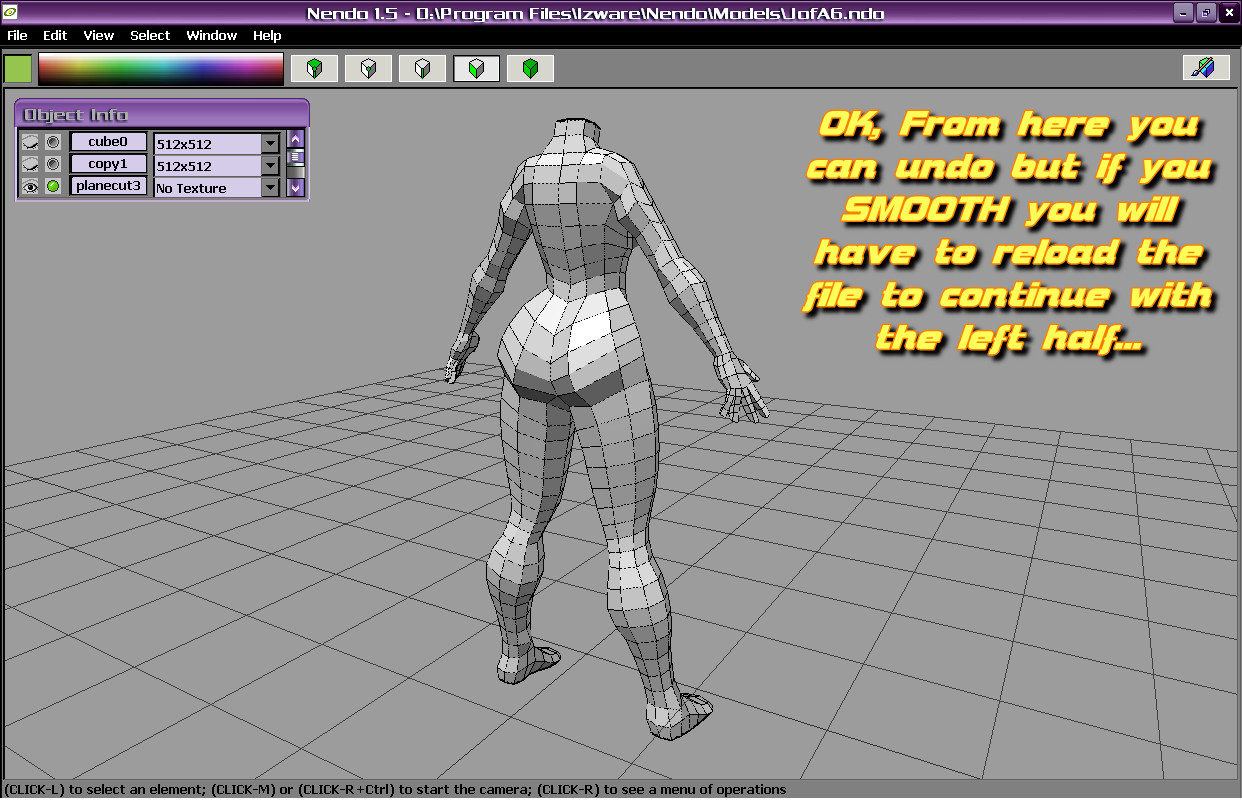
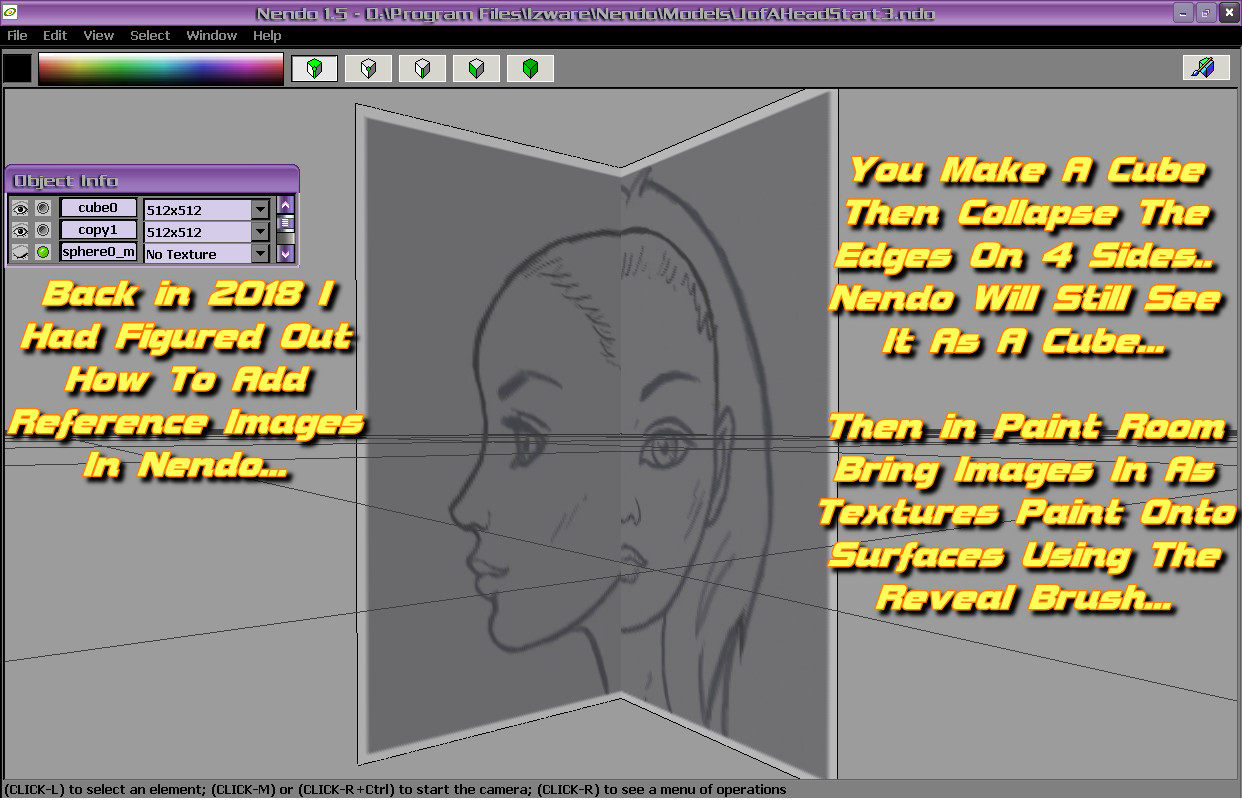
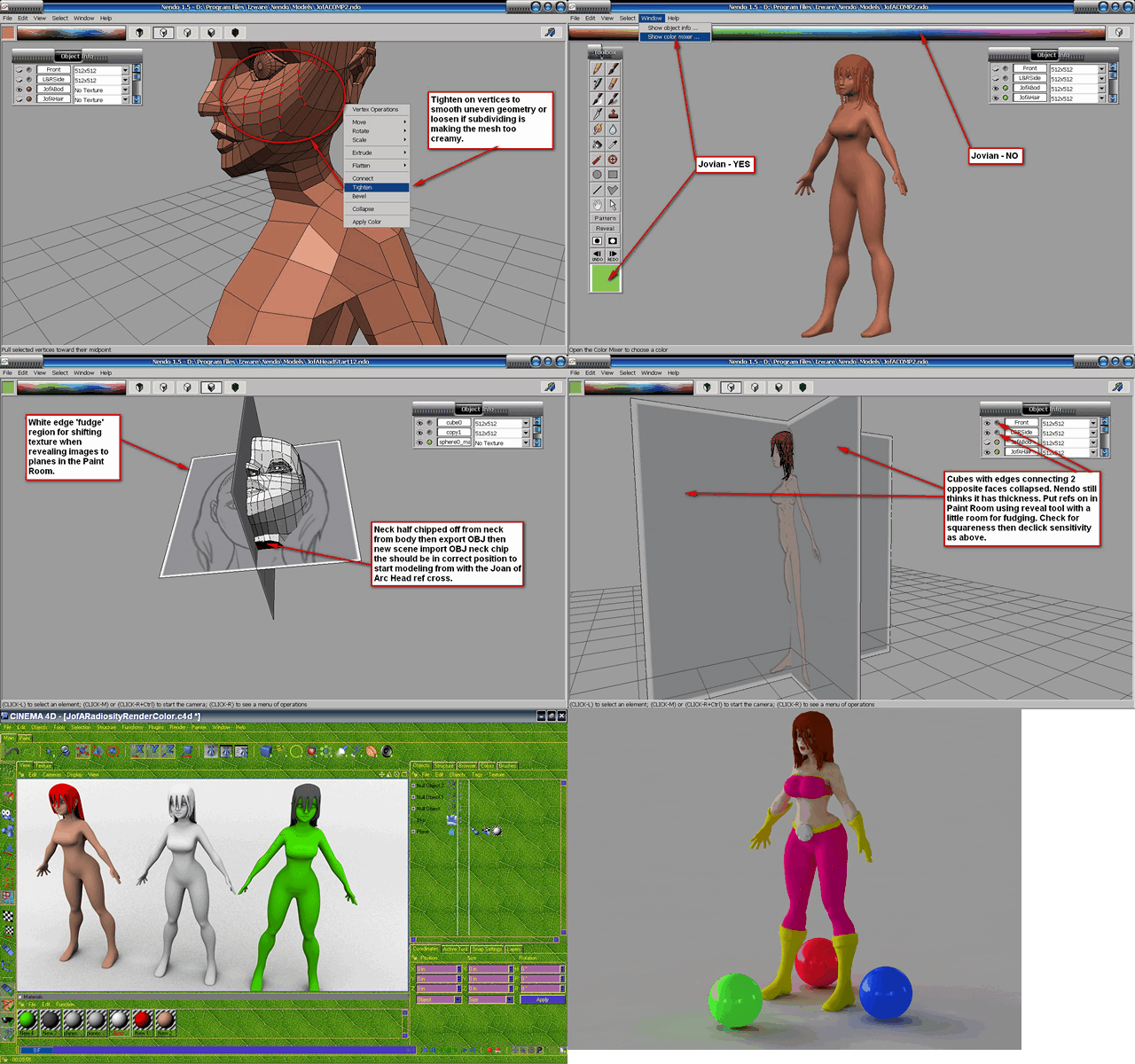
The Joan of Arc gal modeled in Nendo also bringing in reference images onto flattened cubes in the paint room, I figured this out as I had not seen anyone else do it also brought into C4D XL7...
Nendo, like Wings3D & Nichimen Mirai is a VOLUME modeler which means you must always be working on a volume no polygon-by-polygon modeling...
Fortunately for the jerk the included keygen passed muster on archive.org... Nendo won't ask for a code until you EXPORT a model for the first time...
Very good should work on most anything, cleanest GUI ever...
https://archive.org/details/nendo-15
I have downloaded it to make sure, yeah it's untouched from when I assembled it... I bet he has not even installed it himself...
It is most likely the best of simple 3D modelers, the help file is very good, everything is right-click menu... Much better than Wings3D which unfortunately is coded on that obscure 'ERLANG' which has horrible framerate on even relatively low polys... Plus Wings3D does not have 3D paint, Nendo does as well as automatic UV mapping & can go many times the polys before chugging...
It is also good for quickly creating base meshes for ZBrush 1.23b which you probably see I got thread on too...
I have made quite a few models but the best were the BiBeast & Joan of Arc... Here's GIFs of them... The BiBeast was painted in Nendo as you can see but redone with procedural textures in Cinema 4D XL7 where it was finished up, it was just the bust...
The Joan of Arc gal modeled in Nendo also bringing in reference images onto flattened cubes in the paint room, I figured this out as I had not seen anyone else do it also brought into C4D XL7...
Nendo, like Wings3D & Nichimen Mirai is a VOLUME modeler which means you must always be working on a volume no polygon-by-polygon modeling...
Fortunately for the jerk the included keygen passed muster on archive.org... Nendo won't ask for a code until you EXPORT a model for the first time...
Very good should work on most anything, cleanest GUI ever...