WinXP SP3
Moto G Power (2022)
Windows Media Player 11
MTPPK 12
Motorola_Mobile_Drivers_v6.4.0_32bit.msi
Moto_Diag_Drivers
I’m starting to wonder if the software out there to enable connecting my Motorola G Power Android phone is simply not compatible with XP. So far, I have yet to see the phones storage drives show up in File Manager.
There are many sites offering the same USB Drivers for this phone. Most of the sites say the drivers are compatible with Windows XP SP3 or higher, while far less sites that offer the exact same file D/L say the divers require Vista or above.
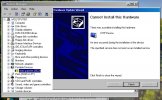
When ever I tried installing a given *.msi file I saw no difference in Device Manager of a new object being added. When I plug the phone into a USB port, the “Found New Hardware” wizard pops up, but installation always failed. I’ve tried letting it search, and pointing to various drivers that I’ve downloaded, but that didn’t help.
People commenting on this claimed that Windows Media Player 11 needs to be installed, which was already present. Other comments said that the MS “Mobile Transfer Protocol Pack” needs to be installed, which I re-installed. I had forgotten about the fact that I had previously installed this for an older Android phone, which was also a PITA to get connected. When I ran the MTPPK file I chose the “Repair” option.
Rebooting after this, and then removing and re-installing the Motorola supplied drivers, and then rebooting again, I finally saw a new device added to Device Manager after I plugged the phone into a USB port. A new category (Portable Devices) was there, with “Moto G Power (2022)” under it, which had the yellow exclamation mark. The “Found New Hardware” experience also happened and led to nowhere.
So then, using the Hardware ID, I looked again for the correct driver to Update that device and get rid of the yellow exclamation mark…. No joy. The ones I found I suspect are all for a 64bit machine.
Hardware ID = USB\VID_22B8&PID_2E82\2D2227X69D
Resolves to:
Vendor (22b8) = Motorola PCS
Description (2e82) = XT1541 [Moto G 3rd Gen]
No matter what I tried to update that driver, I got a message saying I’m trying to update something that doesn’t exist. When I disconnect the phone from the PC, the "Portable Devices" in Device Manager disappears.
The only thing I have not tied yet is installing “MotorolaDeviceManager_2.5.4.exe” which I had also D/L. I really don’t want to install a suite of software when I should be able to connect via USB just like most devices.
BTW, when I reboot the same machine into Linux Mint 19.3 (which is also no longer supported), and plug the phone in, everything connects and I can transfer files easy. So the problem is not hardware related.
I’ve spent enough time trying to figure this out myself, so it’s time to punt. If you kids can see something I did wrong, please lemme know.
Thanks,
Wolf
Moto G Power (2022)
Windows Media Player 11
MTPPK 12
Motorola_Mobile_Drivers_v6.4.0_32bit.msi
Moto_Diag_Drivers
I’m starting to wonder if the software out there to enable connecting my Motorola G Power Android phone is simply not compatible with XP. So far, I have yet to see the phones storage drives show up in File Manager.
There are many sites offering the same USB Drivers for this phone. Most of the sites say the drivers are compatible with Windows XP SP3 or higher, while far less sites that offer the exact same file D/L say the divers require Vista or above.
When ever I tried installing a given *.msi file I saw no difference in Device Manager of a new object being added. When I plug the phone into a USB port, the “Found New Hardware” wizard pops up, but installation always failed. I’ve tried letting it search, and pointing to various drivers that I’ve downloaded, but that didn’t help.
People commenting on this claimed that Windows Media Player 11 needs to be installed, which was already present. Other comments said that the MS “Mobile Transfer Protocol Pack” needs to be installed, which I re-installed. I had forgotten about the fact that I had previously installed this for an older Android phone, which was also a PITA to get connected. When I ran the MTPPK file I chose the “Repair” option.
Rebooting after this, and then removing and re-installing the Motorola supplied drivers, and then rebooting again, I finally saw a new device added to Device Manager after I plugged the phone into a USB port. A new category (Portable Devices) was there, with “Moto G Power (2022)” under it, which had the yellow exclamation mark. The “Found New Hardware” experience also happened and led to nowhere.
So then, using the Hardware ID, I looked again for the correct driver to Update that device and get rid of the yellow exclamation mark…. No joy. The ones I found I suspect are all for a 64bit machine.
Hardware ID = USB\VID_22B8&PID_2E82\2D2227X69D
Resolves to:
Vendor (22b8) = Motorola PCS
Description (2e82) = XT1541 [Moto G 3rd Gen]
No matter what I tried to update that driver, I got a message saying I’m trying to update something that doesn’t exist. When I disconnect the phone from the PC, the "Portable Devices" in Device Manager disappears.
The only thing I have not tied yet is installing “MotorolaDeviceManager_2.5.4.exe” which I had also D/L. I really don’t want to install a suite of software when I should be able to connect via USB just like most devices.
BTW, when I reboot the same machine into Linux Mint 19.3 (which is also no longer supported), and plug the phone in, everything connects and I can transfer files easy. So the problem is not hardware related.
I’ve spent enough time trying to figure this out myself, so it’s time to punt. If you kids can see something I did wrong, please lemme know.
Thanks,
Wolf