
You are using an out of date browser. It may not display this or other websites correctly.
You should upgrade or use an alternative browser.
You should upgrade or use an alternative browser.
burning an iso file to CD
- Thread starter old pc
- Start date


Yes, Install Nero or Cyberlink Disc Suites, Does your PC have a CD or DVD drive? Also DO NOT download Imgburn, Winimage, UltraISO, any of those, but mostly PowerISO as it has trojans, don't ask me how I know that, you can find the Disc suites as CDs that come with external DVD drives, or look on ebay. As a veteran disc burning guy, I know the software to use, and don't ask how many failed burns I smashed, but you don't need to do that.any ideas how to do it in win xp please

Yea... I still use Nero Burning ROM 6 but also UltraISO 9 both have verification... Sometimes the optic lazer needs cleaned to make a burn happen some drives are just crap on simple terms... I have a portable Nero 9 I plan on putting up on archive.organism soon...
i dont know the program was curup and did not unsderstandsYes, Install Nero or Cyberlink Disc Suites, Does your PC have a CD or DVD drive? Also DO NOT download Imgburn, Winimage, UltraISO, any of those, but mostly PowerISO as it has trojans, don't ask me how I know that, you can find the Disc suites as CDs that come with external DVD drives, or look on ebay. As a veteran disc burning guy, I know the software to use, and don't ask how many failed burns I smashed, but you don't need to do that.
Attachments
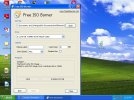

I use and like all these programs especially PowerISOYes, Install Nero or Cyberlink Disc Suites, Does your PC have a CD or DVD drive? Also DO NOT download Imgburn, Winimage, UltraISO, any of those, but mostly PowerISO as it has trojans
 but I haven't tried Cyberlink it's huge! For you OldPC, you can use the small and free www.cdburnerxp.com it's simple and uncomplicated.
Is it the free version of PowerISO? The installer for the free version has trojans.I use and like all these programs especially PowerISO
turned out to be an error with the disks that i had in the end
I have not seen trojans for a very long time!Is it the free version of PowerISO? The installer for the free version has trojans.
Well yeah I have the free version, I'm not going to buy a piece of software in a genre that I already have 5 other free titles that get the job done. I wonder what website you found it on that's adding trojans? I can't remember where I got mine from, since that was over a decade ago.
@old pc I agree, I haven't seen trojans in ages either! All of today's infection vectors simply don't exist in our ancient OS and hardware!
@old pc I agree, I haven't seen trojans in ages either! All of today's infection vectors simply don't exist in our ancient OS and hardware!
No, I got it from the official website.
Why would the official website add trojans to their own downloads? That would destroy their company and their paychecks.
I don't know.Why would the official website add trojans to their own downloads? That would destroy their company and their paychecks.
That was a rhetorical question to make you think. (Perhaps they didn't, after all?)
to make you think. (Perhaps they didn't, after all?)